Cashly
An AI expense tracker that reads your receipts — snap a photo and Gemini extracts and categorizes the spend, with live analytics in a CRED-inspired UI.
Overview
Cashly is an AI-powered expense tracker built around one idea: you shouldn't have to type in your spending. Snap a photo of a receipt and Google Gemini 2.5 Flash reads it — merchant, date, line items, total — and files it into the right category automatically. The whole thing is wrapped in a CRED-inspired interface with live spending analytics.
Snap a Receipt, Skip the Typing
The core flow is a single tap. Point your camera at a receipt (or upload an image) and the model does the data entry: it extracts the structured details and picks the category, so an expense goes from paper to logged in seconds.
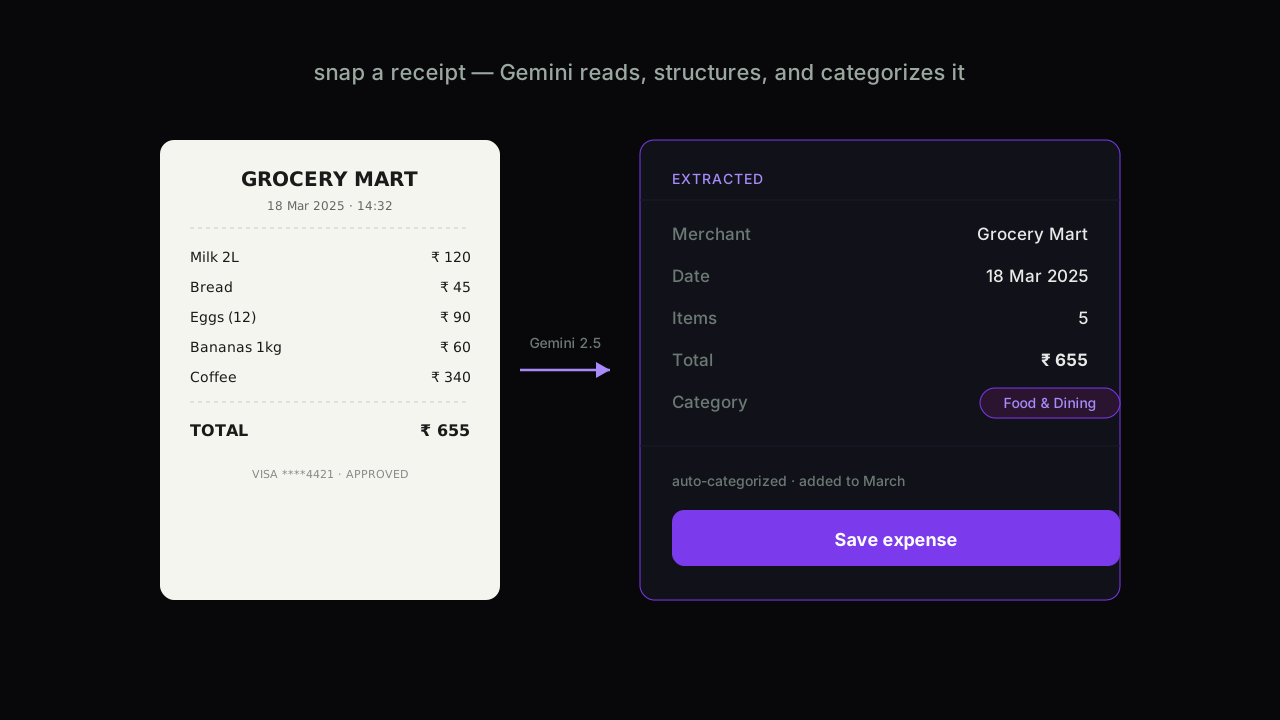
Because the extraction is AI-driven rather than template-matched, it handles the messy reality of real receipts — different layouts, currencies, and formats — without per-merchant rules.
A Dashboard Worth Opening
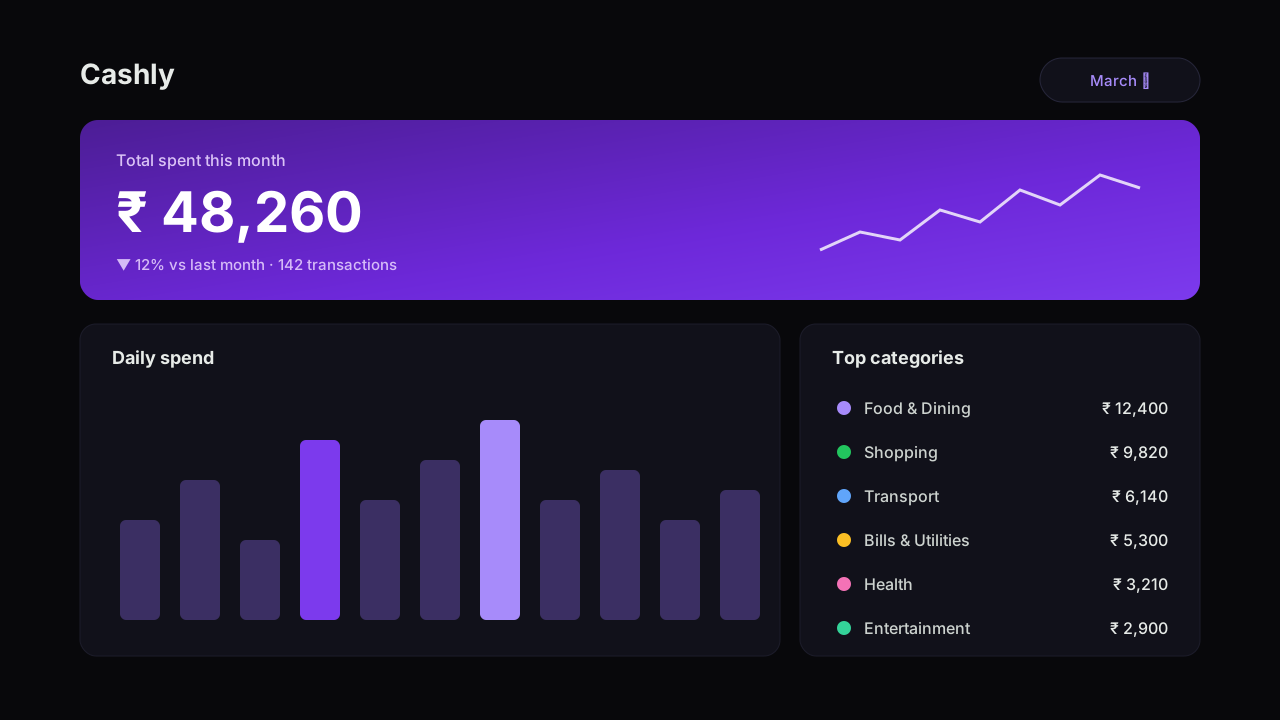
Spending only helps if you actually look at it, so the dashboard is built to be glanceable and a little bit beautiful. A hero figure for the month, daily spend at a glance, and your top categories — all in a dark, premium, CRED-inspired aesthetic.
Spending Analytics
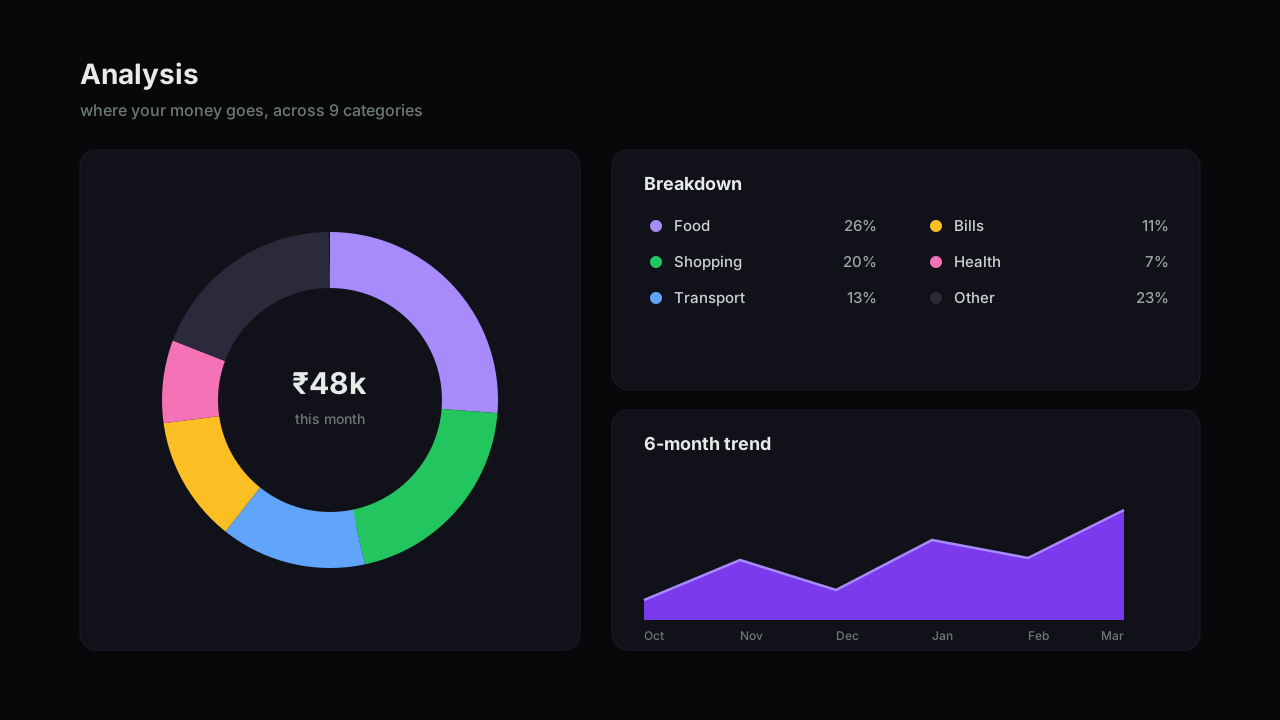
Beyond the headline number, the analysis view breaks spending down across nine categories with a clear split and a multi-month trend, so patterns — the slow creep of one category, a spike in another — actually surface instead of hiding in a list of transactions.
The Stack
Built on Next.js 16 and React 19 with TypeScript, PostgreSQL via Drizzle ORM, the Vercel AI SDK with Google Gemini 2.5 Flash for receipt analysis, and Recharts for the visualizations. It's mobile-first by design — the place you actually photograph a receipt is on your phone — with full SEO and Open Graph metadata for sharing.
Why I Built It
Every expense app I tried died at the same step: the manual entry. Cashly removes it. The receipt is the input, the categorization is automatic, and the analytics are the payoff — a finance tool I'll actually keep using because logging an expense costs me nothing.