Git Ciel
An interactive Git CLI with AI-generated commit messages and PR descriptions, all from one clean stepper UI — invoked as git ciel.
Overview
Git Ciel is an interactive Git workflow CLI I built for myself and now reach for every single day. It wraps the whole routine — stage, commit, push, cherry-pick to staging, and open a pull request — into one clean stepper, and it writes the commit message and PR description for me with AI. I run it as git ciel from inside any repository.
Why I Built It
The mechanical parts of Git aren't hard, they're just repetitive — and the small frictions add up. Writing a tidy Conventional Commit, remembering to prefix the ticket number, cherry-picking onto staging, then opening a PR with a half-decent description: each one is a tiny tax I paid dozens of times a day.
So I built the tool I wanted to use. One command, a guided flow, and the boring decisions made for me — without hiding what's actually happening underneath.
How It Works
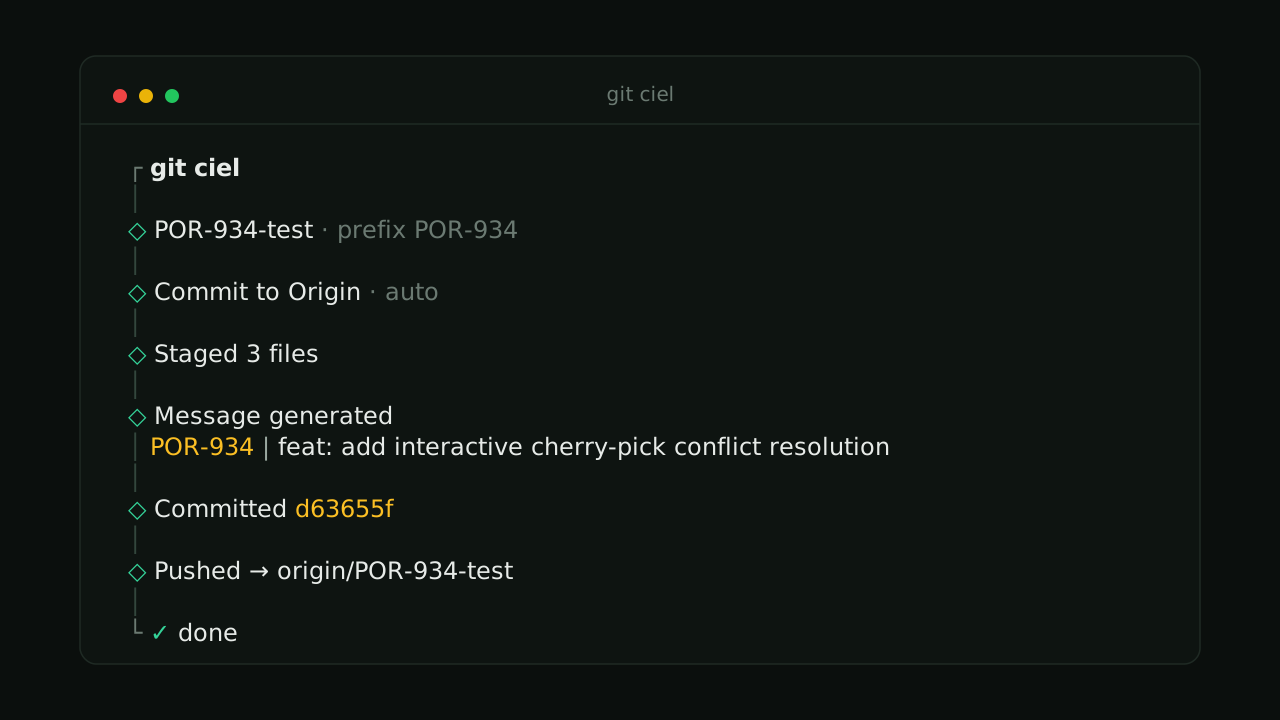
Everything runs through a single stepper. Each step states exactly what it did — staged files, the generated message, a short commit hash, the push target — with none of the raw git/gh stderr noise. If a branch is named like POR-934-test, it detects the ticket and prefixes commits and PRs with POR-934 | … automatically.
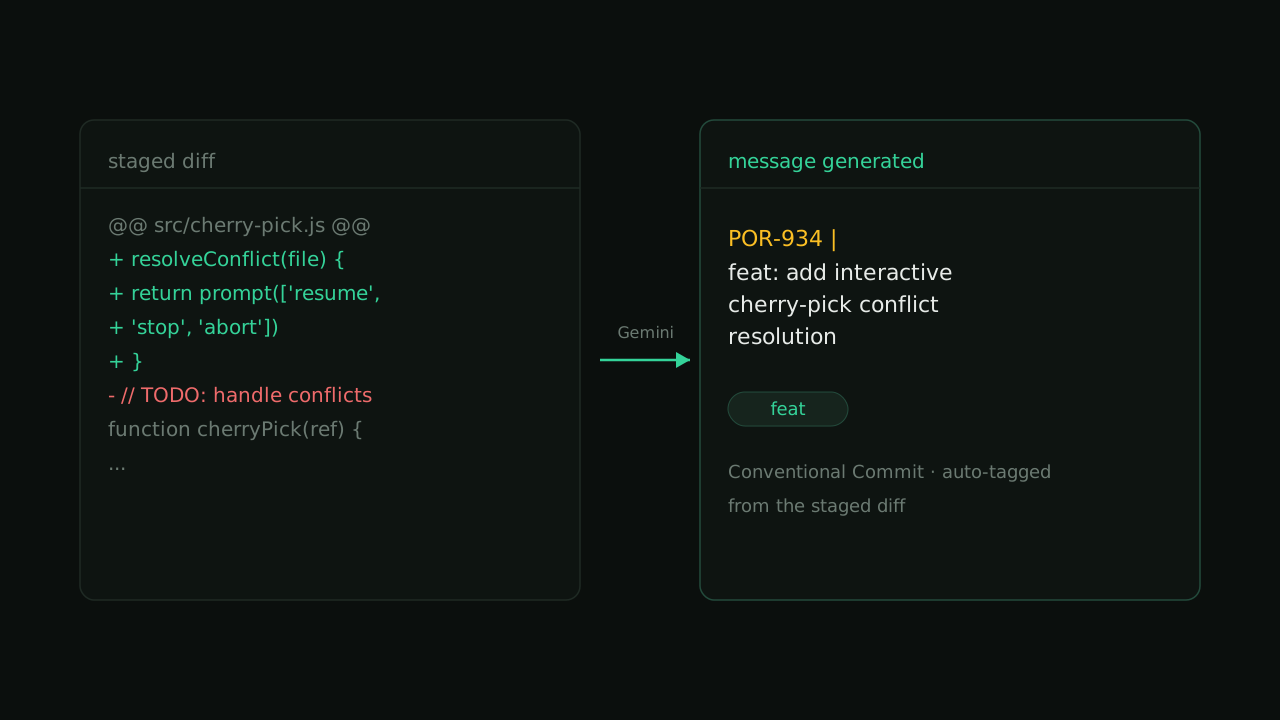
The commit message itself is generated from the staged diff through the Gemini API, tagged with the right Conventional-Commit type.
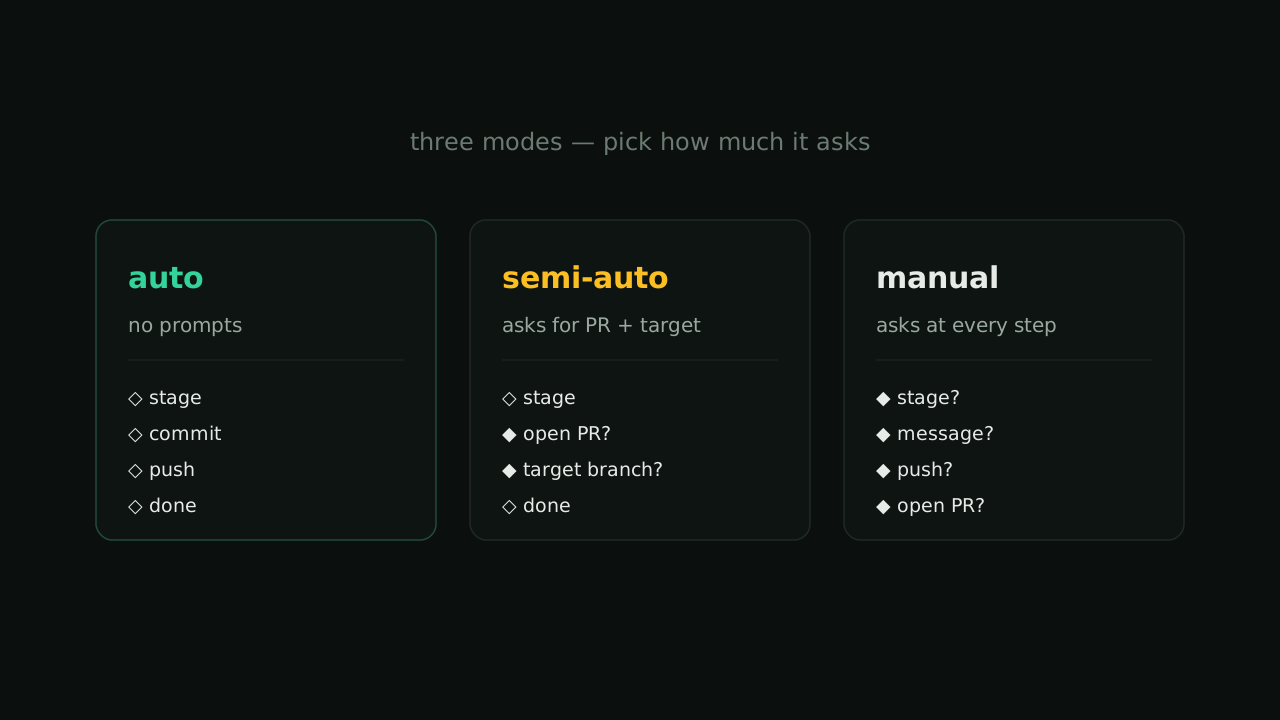
Three Modes
The same flow adapts to how much I want it to ask. Most of the day I live in auto; when a PR needs a careful target branch I drop to semi-auto; and manual is there for the rare commit I want to shepherd by hand.
Key Features
- AI commit messages — generated from the staged diff, using Conventional-Commit tags (
feat,fix,chore, …). - AI PR titles & descriptions — complexity-aware, created or updated through the GitHub CLI.
- Ticket prefix detection — a branch like
POR-934-testauto-prefixes commits and PRs. - Cherry-pick to staging — with interactive conflict resolution: resume, stop, or abort.
- Compare link — prints a
compare/main...<branch>URL after every commit. - Clean output — staged-file listing, one short hash, and no raw git noise.
The Stack
Git Ciel is deliberately small — a single executable file with just two runtime dependencies: @clack/prompts for the stepper UI and picocolors for output. It runs on Bun, which auto-loads the .env, and leans on the GitHub CLI for anything PR-related.
A couple of details I cared about: lock files and node_modules are stripped from the diff before it's sent to the AI, and every commit and PR is run via argv rather than a shell — so messages with quotes, backticks, or $() pass through safely.
Daily Driver
This isn't a demo project. It's the tool I actually use to ship my own work, and it's shaped by every rough edge I hit while using it. That feedback loop — build it, drive it, fix the thing that annoyed me today — is exactly why it stays simple.