Native CSS UI
A CSS-first UI component library — every component is plain semantic HTML styled by a single CSS file, with thin optional React wrappers. Copy the CSS, get the component.
Overview
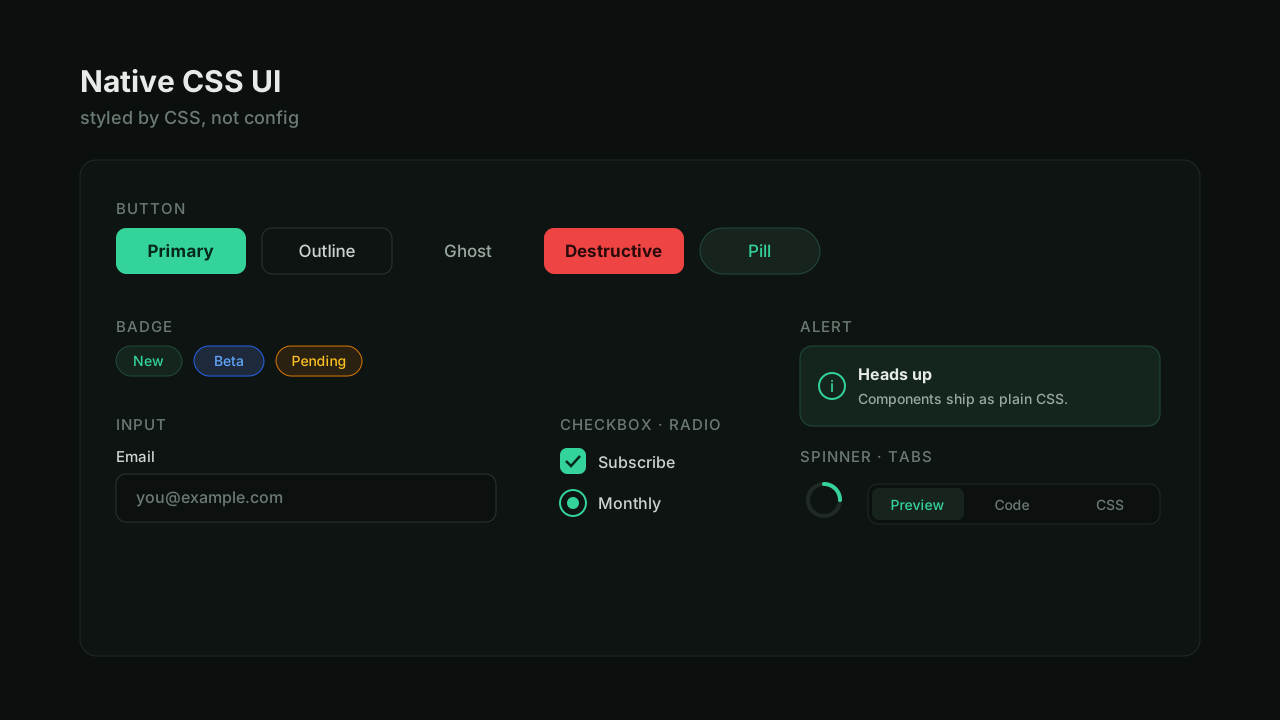
Native CSS UI is a small component library with one firm idea: the styling is the component. Every element — buttons, inputs, alerts, tabs, and more — is plain semantic HTML styled by a single, readable CSS file. There's a thin set of React wrappers for convenience, but they're optional; the CSS works on its own, anywhere.
The Idea
Most component libraries hand you a bundle: JavaScript, styling config, and a way of doing things you have to adopt wholesale. I wanted the opposite — something you can read top to bottom, drop into any project, and own completely.
So each component is just a class. A button is .button plus .button-variant-primary and .button-size-md. Nothing is hidden behind a runtime; if you can read CSS, you can read the whole library.
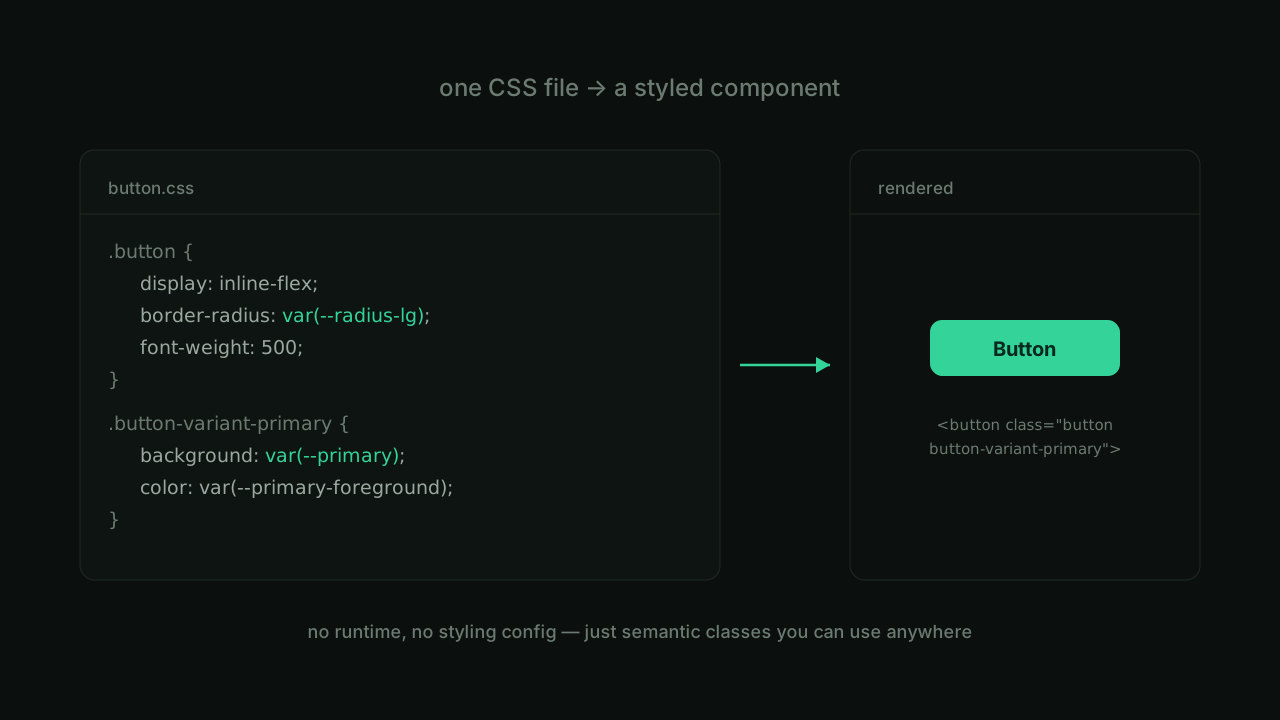
One File Per Component
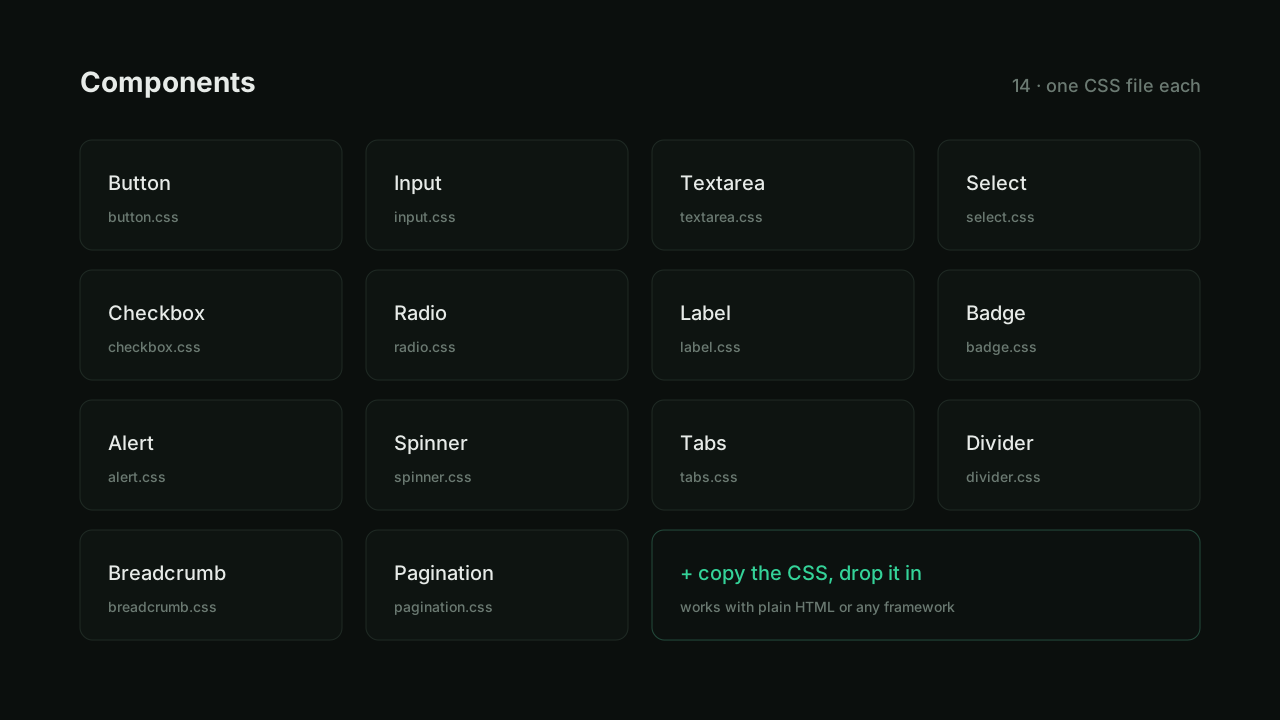
The library is organised as one CSS file per component, composed together through a single index.css. Each file owns its base styles, variants, sizes, and states — and nothing else. Want just the button? Copy button.css. Want everything? Import the index.
Styling is built on CSS custom properties for theming (radius, colors, shadows), so re-skinning the whole set is a matter of changing a few variables — no find-and-replace through markup.
The Components
The set covers the everyday building blocks: Button, Input, Textarea, Select, Checkbox, Radio, Label, Badge, Alert, Spinner, Tabs, Divider, Breadcrumb, and Pagination — fourteen in all, each documented with a live preview.
The Docs
The documentation site is built with Fumadocs, with a live preview, the component options, and one-click access to copy either the component or its raw CSS. The goal was that you can land on any component page, see it working, and leave with exactly the code you need.
Why It Stays Simple
Because the styling lives in CSS and not in a build step or a config object, the library is framework-agnostic by default and trivial to audit. It's the kind of thing I reach for when I want good-looking defaults without signing up for someone else's entire system — and keeping it that lean is the whole point.