Prompt7
A browser extension that detects any text field and floats a launcher on top — pick a saved prompt and generate a ready-to-send message inline.
Overview
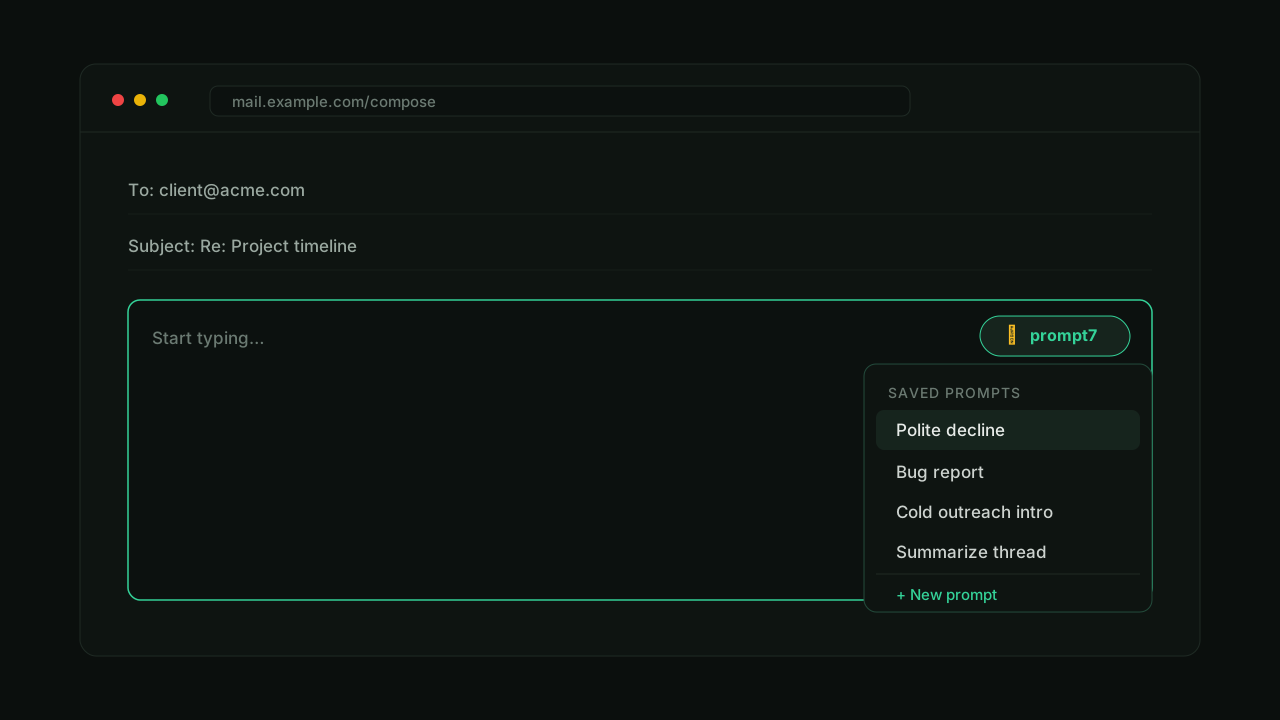
Prompt7 is a browser extension that brings your saved prompts to every text field on the web. The moment you focus an input — an email, a chat box, a comment — a small launcher pill appears on top of it. Pick a saved prompt, and Prompt7 generates a ready-to-send message and writes it straight into the field.
The Idea
I kept the same handful of prompts in a notes file and pasted them into ChatGPT all day — "polite decline," "turn these notes into a bug report," "summarise this thread." The prompts were good; the workflow was the problem. Copy, switch tabs, paste, generate, copy again, switch back.
Prompt7 removes the round trip. The prompts live with you in the browser and run exactly where you're typing.
It Meets You at the Input
The core interaction is detection. Prompt7 watches for a focused, editable field and attaches a lightweight pill anchored to it — no panel to open, no page to leave. One tap opens your prompt list, and the rest happens inline.
A Library of Saved Prompts
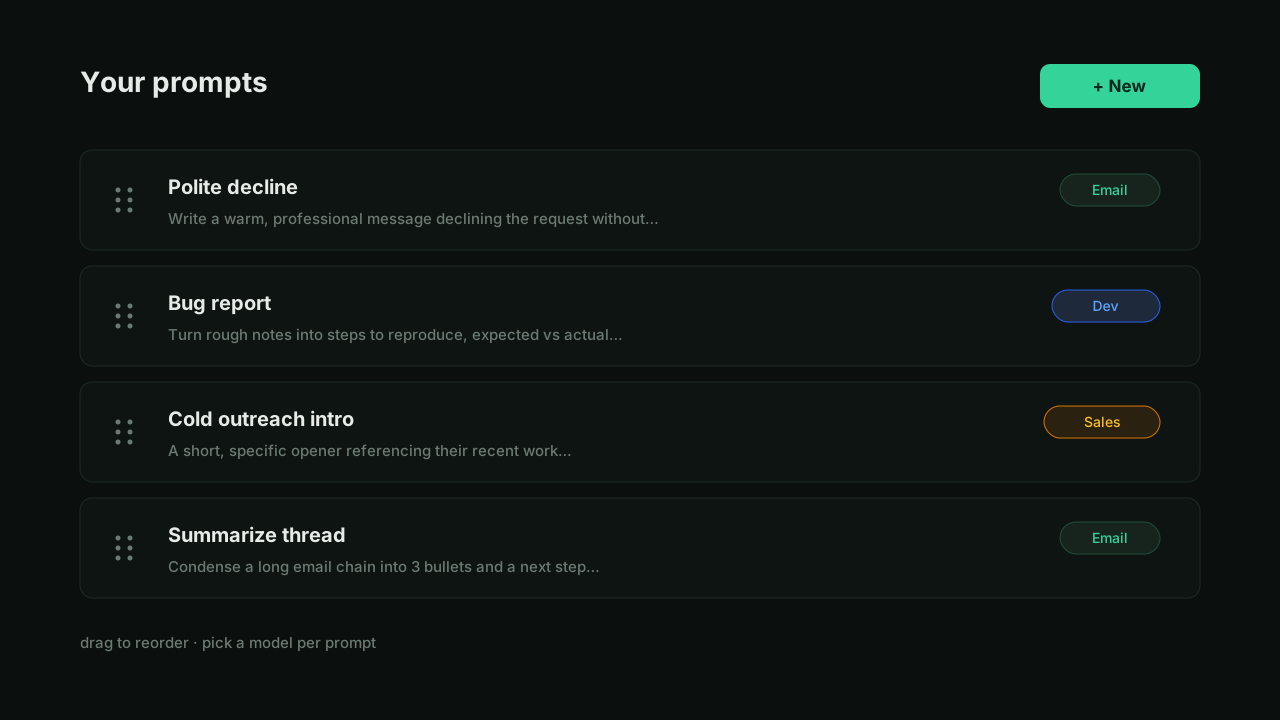
Prompts are reusable building blocks you manage once and use everywhere. Each has a title, the prompt body, and a category, and they're reorderable so the ones you reach for most stay on top.
Generate In Place
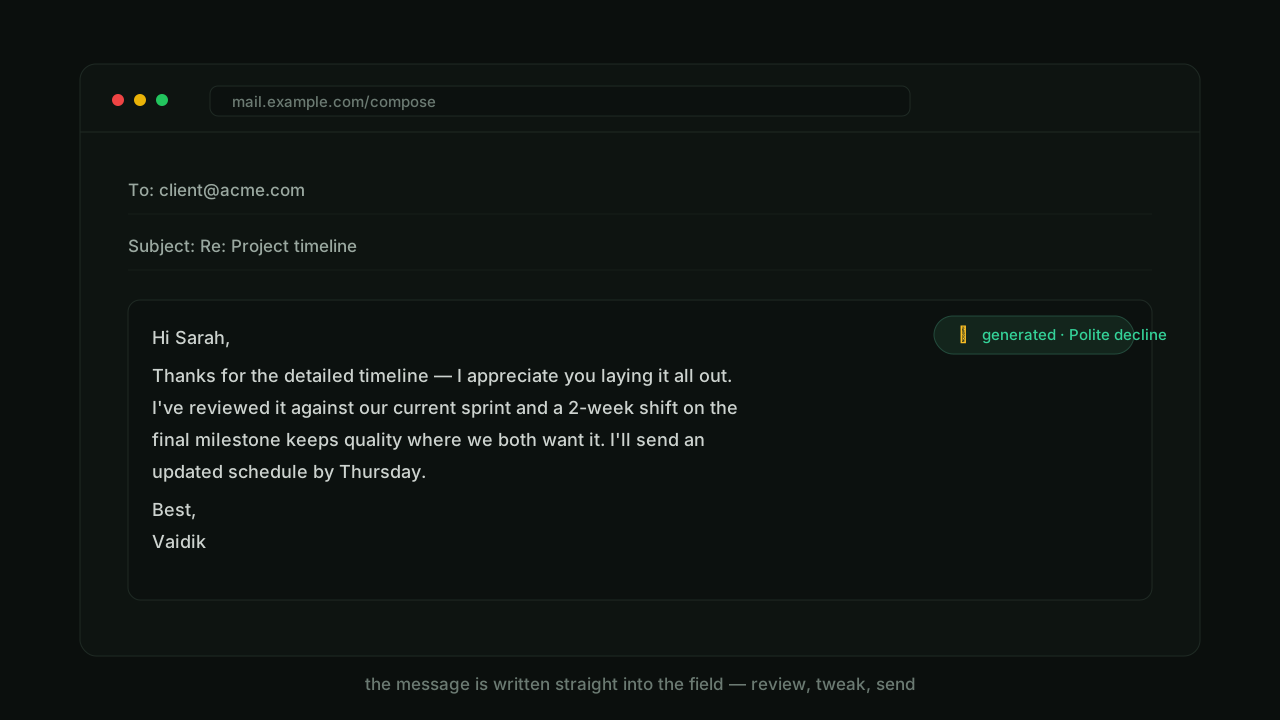
When you pick a prompt, the extension generates the message and inserts it directly into the field you were already in — ready to review, tweak, and send. No copy-paste, no tab-switching.
Where It's Headed
This started as a web app and is being rebuilt as a browser extension, because that's where the idea actually belongs — on top of the inputs you already use, not in a separate tab. It's an open project, and the extension form is the direction it's growing into.